KidCheck
Our partner, KidCheck, is a service that provides safe, secure child check in. This integration allows KidCheck to pull the data you have in Membership so you only need to maintain one shared database.
-
Secure check in for daycare, events and classes
-
Express Check-In via mobile
-
Parent-maintained accounts
Access KidCheck
To access from the Button Bar, go to Attendance > KidCheck.

About 

Church Windows and KidCheck have partnered to make the set up process easy. Click here to find out more about KidCheck services, pricing, and to request a free demo. KidCheck offers personal service and support, as well as tutorials, training, and help with set up. Once you have a login and password, access the KidCheck settings inChurch Windows to match up fields for data integration.
Match Fields
When you first log in, or when you click the  button, you'll be able to link fields from your records to fields in KidCheck by selecting the corresponding Membership field from the drop down.

Send Data
Once you match fields, the data is sent. The first time may take awhile, particularly if you have a large database.
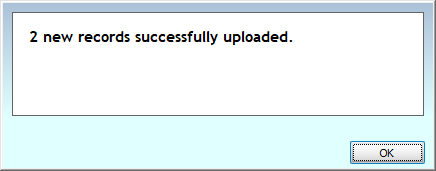
When it's finished, you'll get a confirmation message displaying the number of successfully uploaded records.
New Check-Ins
Unmatched records from KidCheck will populate on the left with a full list of Membership records on the right.
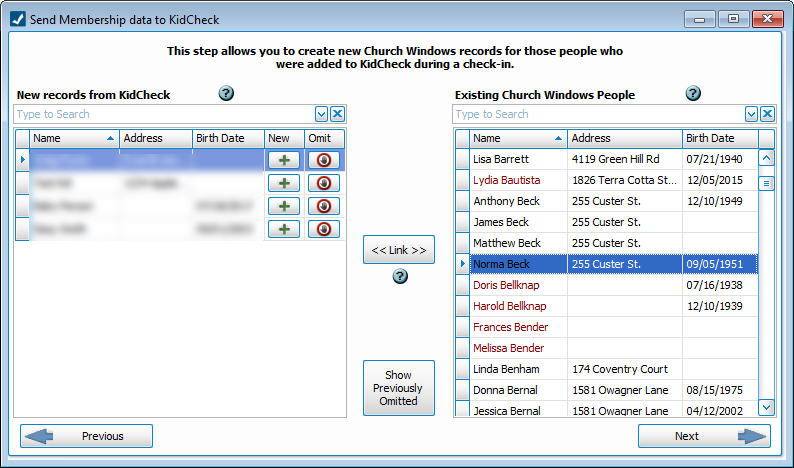
Match two records by highlighting the lines and click  .
.
If the individual is new, click  to Add People to Membership. The Additional Fields tab is available for KidCheck additions.
To exclude the check in, click  .
.
To see previously omitted records, click  .
.
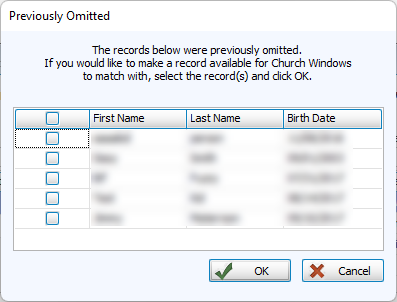
Check the box next to any names and click  to return the records to the list.
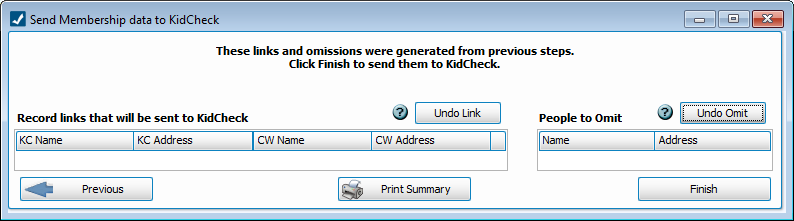
New links and omissions can be undone on the next screen. Finalize with  , then click
  to generate a KidCheck Upload Report.